Check grammar in Google Docs, right where you write
Spelling and grammar slips get a line under them in the document you are writing, about a second after you stop typing. Click a line to see why, and pick the fix.
- No account
- No ads
- Your text stays on your computer
Quarterly report, draft
We final numbers on Friday. the team is still checking work. user wrote that we late with the March figures.
The full tables are in the appendix, and the summary on the next page covers the changes since the last draft.
Spelling
Did you mean to spell recieved this way?
What you see on the page
Check Grammar in Google Docs is a spellchecker that underlines slips in the text and explains each one. Three kinds of line, and nothing else drawn over your document.
- Solid line
- A misspelled word or a mistake in the sentence.
- Purple line
- A style or word choice hint.
- Dotted line
- An unknown capitalized word, such as a name or a brand.
Click a line and a small card opens
It says what kind of slip this is, explains the rule in a sentence and offers up to four suggestions. Click a suggestion and it replaces the word. What to do with them is up to you.
What it looks for
- Misspellings, doubled words and common typos, like recieved or the the.
- An user, there work, we was: articles, mixed-up words, agreement.
- Capital letters and spacing.
- Punctuation: it acts as a comma checker for frequent cases, such as a missing comma after However, though it does not apply the Oxford comma rule.
Spelling is checked in most popular languages, and grammar in English.
Where your text goes
Nowhere.
Check Grammar in Google Docs carries its own rule-based engine inside the extension, so we have no server to send anything to.
- We never see what you write, and neither does anyone else.
- No sign-in and no tracking.
- One permission, storage. It holds your settings and your word list.
A Google Docs grammar check that stays quiet while you type
- It waits for you
- The check starts about a second after you stop typing and looks only at the paragraph you just touched. The word under your cursor is left alone until you finish it.
- Less noise
- It skips links, emails and code. The noisier style rules are left out, and no button floats over your page.
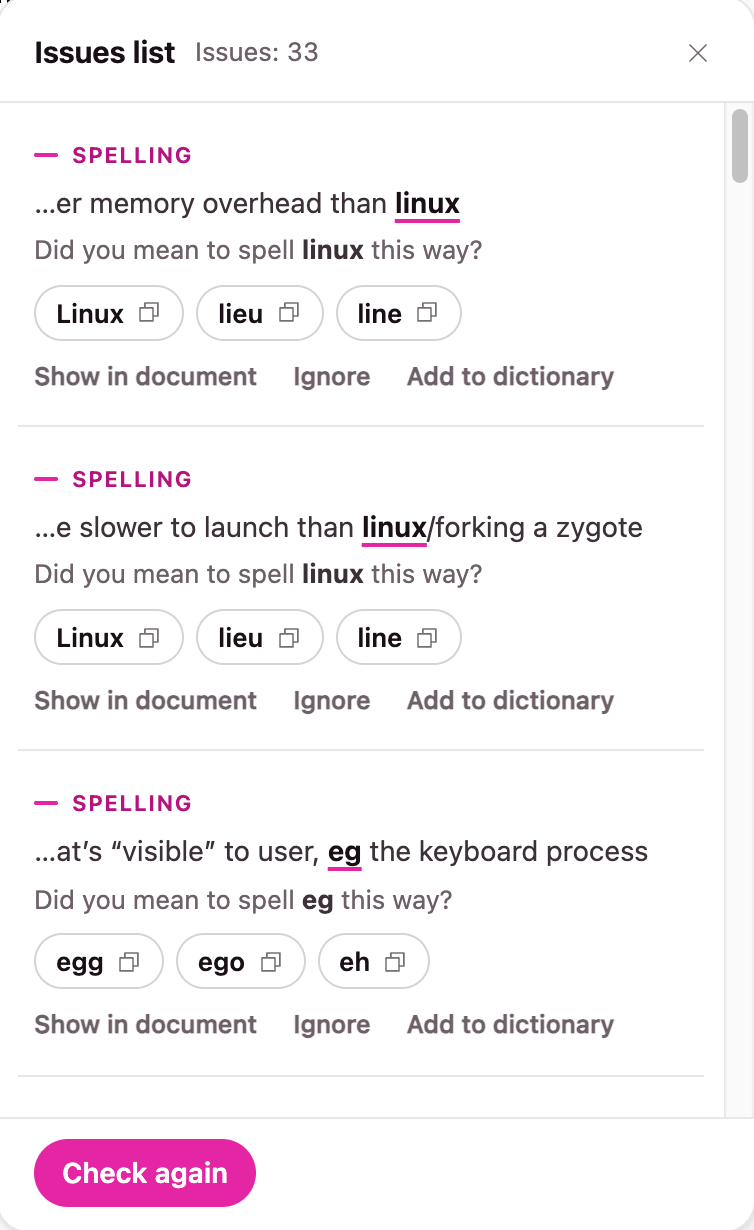
- Issues list
- Every issue of the document in one panel, with a Show in document button.
- Ignore
- Hide one hint in one place when you disagree with it.
- Dictionary
- Add names and terms once and they are accepted in every file.
How to start
Install the extension and open a document.
Write or paste your text and wait a moment.
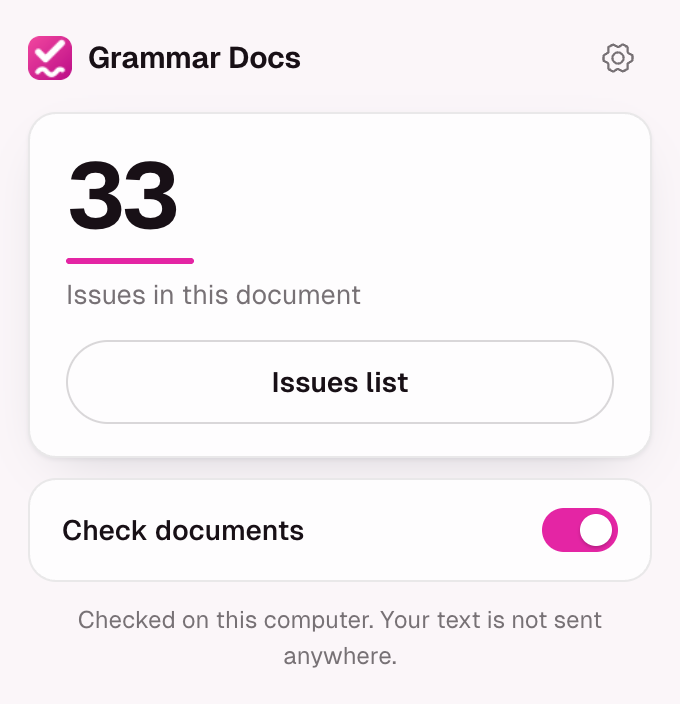
Click an underline to read the hint, or open the Issues list from the popup.
So if you wondered how to check grammar on Google Docs with this tool, that is all of it. There is nothing to set up.
A few honest notes
- It is a grammar checker without AI: fixed rules pick every hint, not a language model.
- It does not rewrite sentences, paraphrase, change tone or look for plagiarism.
- It will not replace a human proofreader, but it is a light proofreading tool for long drafts.
- Nothing is replaced: you can still run the spelling and grammar check Google Docs has in its own menu, and our lines sit beside it.
- It works in Google Docs documents on a computer. Not in Gmail, Sheets or Slides, and not on phones.
Questions and answers
Something else? Write to info@captainlab.dev.
Does Google Docs have a grammar checker extension that keeps text private?
Yes. Check Grammar in Google Docs works on your device and has no server that receives your writing. There is no account to create, and the only permission it asks for is storage, which holds your settings and your word list.
How to check grammar in Google Docs with this extension?
Install it and open a document. Write or paste your text and wait a moment: a line appears under each slip. Click an underline to read the hint and pick a suggestion, or open the Issues list from the popup.
Does it cost anything?
No. There is no paid plan, no trial and no limit on documents or words.
Not sure how to spellcheck in Google Docs?
The built-in Google Docs spelling and grammar check sits in the Tools menu and keeps working, and our underlines appear as you type.
Is the Google Docs spell check not working well enough for you?
We do not change or repair the built-in tool. If you notice Google Docs not showing spelling errors that matter to you, our underlines add a second opinion next to it.
Does it use the Google Docs personal dictionary?
No. The extension keeps its own word list, separate from Google's, and you manage it in the settings.
Does it work in Gmail, Sheets or Slides?
No. It works in documents only, on a computer, not on phones.
Does it underline the whole file at once?
Underlines are drawn on the pages you scroll to. The badge and the Issues list count the whole document.

See what it finds in your draft
Install Check Grammar in Google Docs, open a draft you already have and see what it finds. Take the hints you agree with and ignore the rest.
Add to Chrome